 Français (France)
  Finnish (FI)
  English (United Kingdom)




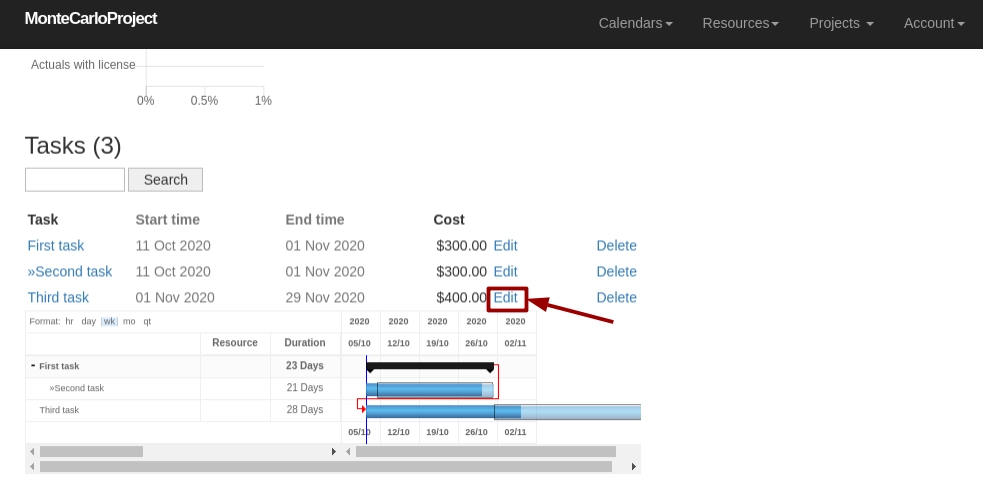
You can set a specific calendar for the task. Click on the 'Edit' link of the chosen task in the task table, which is shown at the bottom section of the project display. Edit link is available also in the task display.
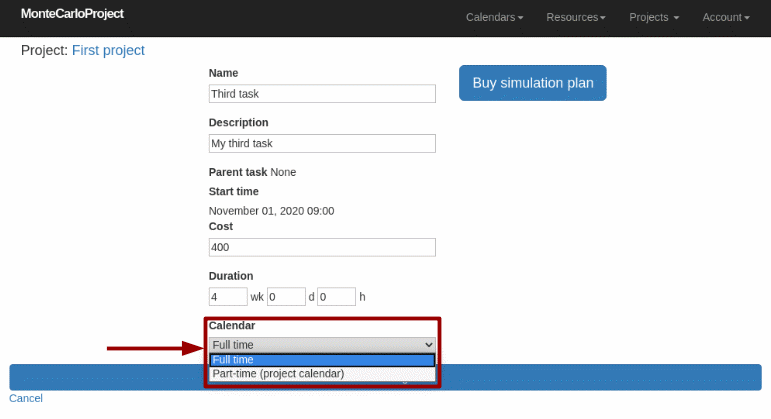
In the task form set the calendar using the dropdown menu and click on the 'Save changes' button. Menu shows also which calendar is set as project calendar.
Calendar is set and you will be directed to the task display.